Trench Decay Secret Update Guide
How unannounced beta patches land, what changes silently, and the checklist to run after every restart.
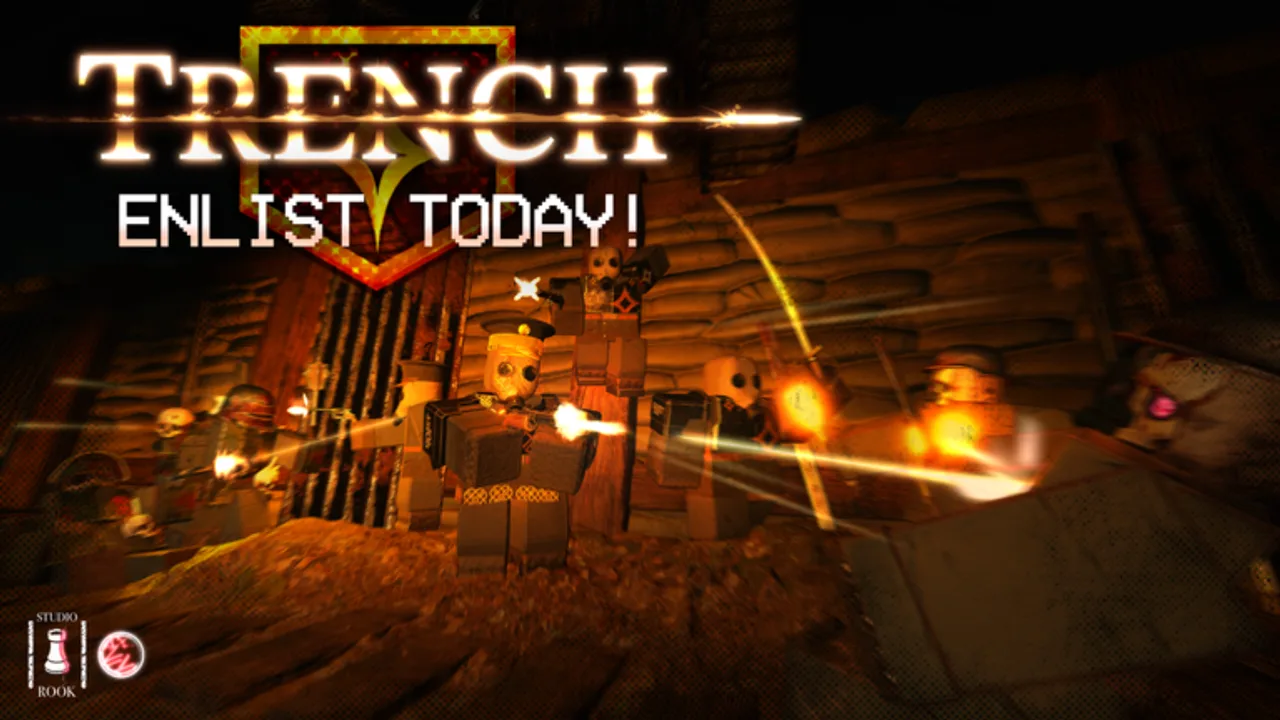
Not every TRENCH: DECAY patch arrives with a banner on the Roblox experience page. studio rook. (solo developer TemmieTerra) sometimes ships secret updates — hotfixes, milestone code bundles, and balance nudges that players only notice after a server restart or a sudden change in lobby behavior. This guide explains how those drops work in early-access beta, what community trackers watch for, and exactly what to do once your client version no longer matches yesterday’s meta.
Secret updates are not a separate game mode. They are the same WW1 squad PvE FPS loop — push objectives, survive gas, extract with your squad, advance the Live War Map — with tuning that may skip formal patch notes. Treat this page as your post-restart checklist alongside the Updates Hub.
How secret and milestone updates drop
Beta patches on Roblox rarely follow a Steam-style roadmap. studio rook. can push changes that trigger:
| Signal | What players report |
|---|---|
| Server restart flag | Game title or description mentions [FIXES!] or a version bump |
| Silent tuning | Weapon feel, extract timers, or gas density shift without a blog post |
| Milestone codes | New Supply Codes strings tied to visits, group members, or front-page features |
| Economy floods | Medal and crate promos bundled with major themes like Big Bertha |
Community Discords often catch secret drops before this wiki updates. That is normal — our job is to document patterns so you know what to verify in-game, not to race every hotfix minute-by-minute.
Secret updates vs headline patches
Headline patches (documented themes such as Big Bertha) change how squads plan artillery rotates, crater crossings, and role splits. Players talk about them openly because art, objectives, or store text shifts visibly.
Secret or minor patches might only adjust:
- Redeem validation for promo codes
- Crate pool weights without UI changes
- Network stability during four-stack extracts
- Commissar tutorial prompts or Preferences Menu defaults
Both types matter. A secret code-validation tweak can make yesterday’s working string fail while a headline patch like Big Bertha still defines your Loadouts Tier List priorities for weeks.
Milestone codes and “secret” promos
Visit milestones drove much of 2026’s code flood — 1MVISITS, FRONTPAGEREWARD, 5KMEMBERSPEAK!, and similar strings appear when the experience hits Roblox front-page or group-member targets. These promos sometimes land without a dedicated update article because they are economy events, not new trench geometry.
After any milestone rumor:
- Join studio rook. on Roblox if not already — required for most codes
- Open Codes and redeem every unclaimed entry on a fresh server
- Read Code Rewards so you spend medals and crates toward loadout gaps, not duplicate cosmetics
- Cross-check How to Redeem if you see “Requirements not met”
Codes expire without warning. Secret updates that touch validation logic can kill a string overnight even when Discord still lists it.
What to do immediately after an update
Run this checklist every time you suspect a patch — secret or announced:
1. Restart the client fully
Do not trust a mid-session reconnect. Exit Roblox, relaunch TRENCH: DECAY, and confirm load times or hub UI match what other players report. Mismatched builds cause phantom extract failures and false “Invalid code” errors.
2. Recheck all promo codes
Open Supply Codes and attempt every active string from the Codes Hub. Patch days often add bundles; they can also silently disable old milestones. Redeem before farming medals the hard way.
3. Open Preferences Menu
Secret updates sometimes reset or add control hints. Revisit Preferences for sensitivity, toggle reminders, and Commissar tutorial flags — especially if you skipped the intro during a previous patch cycle. The How to Play guide summarizes what each setting affects for new returners.
4. Audit loadouts against tier lists
Even subtle damage tuning moves weapons between tiers. Compare your main kit to Weapons Tier List, Melee Tier List, and Loadouts Tier List — then open Enlisted crates toward missing archetypes instead of duplicating nerfed primaries.
5. Run one scout extract
Before burning premium keys or ranked squad time, queue one low-risk public run. Watch gas patterns, artillery telegraphs (still relevant post-Big Bertha), and extract gate timing. Report surprises on Discord so the community meta catches up.
Live War Map and secret tuning
The Live War Map is shared across servers — victories and losses move the front for everyone. Secret patches occasionally alter how much each extract contributes or whether sector bonuses persist through restarts. Squads that ignore patch week often discover their favorite lane is suddenly gas-locked or artillery-shelled more often.
If map behavior feels wrong after a restart, read Live War Map for baseline rules, then compare notes with squadmates before blaming individual skill.
Beta stability expectations
Public descriptions have referenced builds like BETA 1.1.4, but version strings change weekly. Secret updates may bump the number without listing every fix. Progress generally saves during early beta unless studio rook. announces a wipe — check official Discord when uncertain.
Frequent restarts are a feature, not a bug. Finish extracts when safe, redeem codes, adjust loadouts, then requeue once the lobby stabilizes.
How this wiki tracks secret drops
We add inline notes on the Updates Hub for small fixes and dedicated pages when meta shifts justify depth — Big Bertha for artillery-era play, this page for post-patch habits and milestone code behavior. When a secret drop only fixes UI typos, we skip a full article.
Subscribe to the pattern: restart → codes → preferences → loadouts → scout extract. That sequence catches 90% of secret-update surprises without reading every Discord thread.
Related resources
- Big Bertha Update — Headline artillery-themed patch breakdown
- Codes Hub — Active promo strings and August 2026 community checks
- How to Play — Controls, hub navigation, and Preferences refresher
- Loadouts Tier List — Squad kit comps after balance nudges
- Updates Hub — Major patch index and hotfix notes
Frequently Asked Questions
Quick answers to the most common questions.
What is a secret update in Trench Decay?
An unannounced or lightly documented beta patch — hotfixes, code validation changes, or silent tuning that players notice after server restarts rather than from formal patch notes.
How do I know when a secret update dropped?
Watch for server restart flags, Discord alerts, sudden code failures, or weapon feel changes. Relaunch the game and compare with community reports.
Should I redeem codes after every patch?
Yes. Milestone and secret patches often add or retire promo strings. Run the full Codes list on a fresh server after each suspected update.
Do secret updates wipe progress?
Not by default during early beta. Wipes are rare and usually announced. When unsure, check studio rook. Discord before long grinding sessions.
What is the difference between secret updates and Big Bertha?
Big Bertha is a documented major theme with visible meta shifts. Secret updates are smaller or unannounced drops — code tweaks, stability fixes, or quiet balance passes.
Why check Preferences after an update?
Secret patches can reset tutorials or control hints. Preferences Menu confirms your settings match how you expect to play before risking a squad extract.